
My Clients Love These Galleries! Pic-Time Review

Pic-Time Review: A Beautiful Photo Gallery Platform with One Standout Feature
Delivering photographs is an important part of running a photography business. Once the editing is done, the next step is making sure clients can view, access and download their images easily.
For a long time, simple file-sharing platforms have been enough to get the job done. However, they don't always offer the most polished experience. This is where Pic-Time comes in.
Pic-Time is an online gallery platform designed for photographers to showcase and deliver their work. Rather than sending clients a folder of files, you can present their photographs in a beautifully designed online gallery, complete with customisation options, flexible download settings and AI-powered image search.

Beautiful galleries, so your photos keep working for you
I've been exploring Pic-Time from the perspective of a professional event photographer. There are things I genuinely like about it, but there are also a few limitations worth considering before making it part of your workflow.
What Is Pic-Time?
Pic-Time is an online photo gallery platform that allows photographers to upload, organise and deliver photographs through private, client-facing galleries.
Instead of sending clients a download link to a folder, you provide them with a dedicated gallery where they can browse their photographs. The experience feels more like visiting an online portfolio than opening a conventional file-sharing service.
For photographers, it offers a way to present finished work professionally while giving clients a central place to view and download their images.
Galleries and Design Customisation
One of Pic-Time's biggest selling points is the appearance of its galleries.
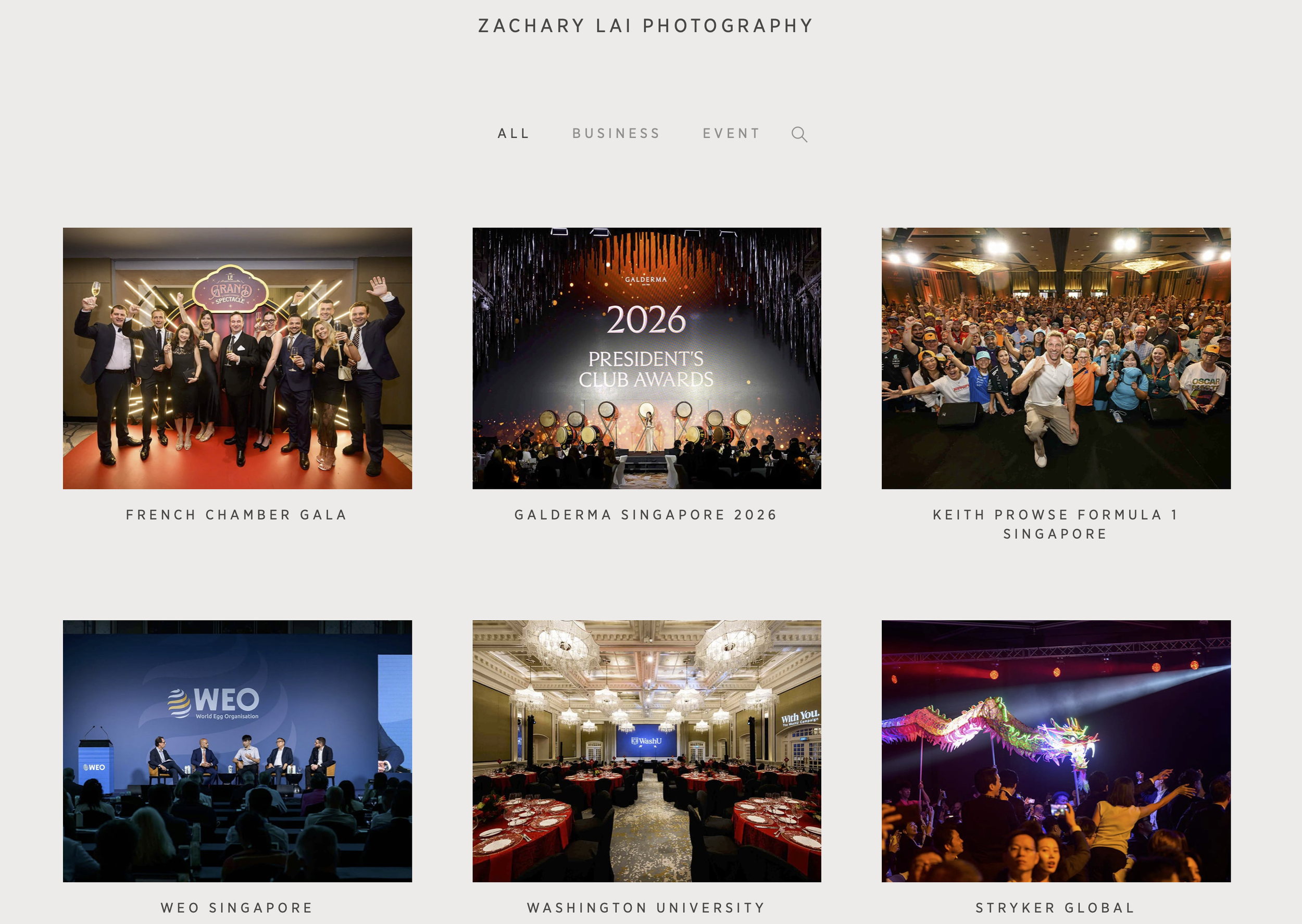
Pic-Time portfolio page.
The layouts are clean, modern and visually appealing. Photographs are given room to breathe, and the overall presentation feels considerably more refined than a standard cloud storage folder.
There are also various design customisation options that allow photographers to tailor the gallery to their own branding. You can adjust elements such as colours, fonts and layouts to create a more consistent visual identity.
This is particularly useful when delivering work to corporate clients. A gallery that looks professional and reflects your business branding can make the delivery process feel like a continuation of the service, rather than simply handing over a collection of files.
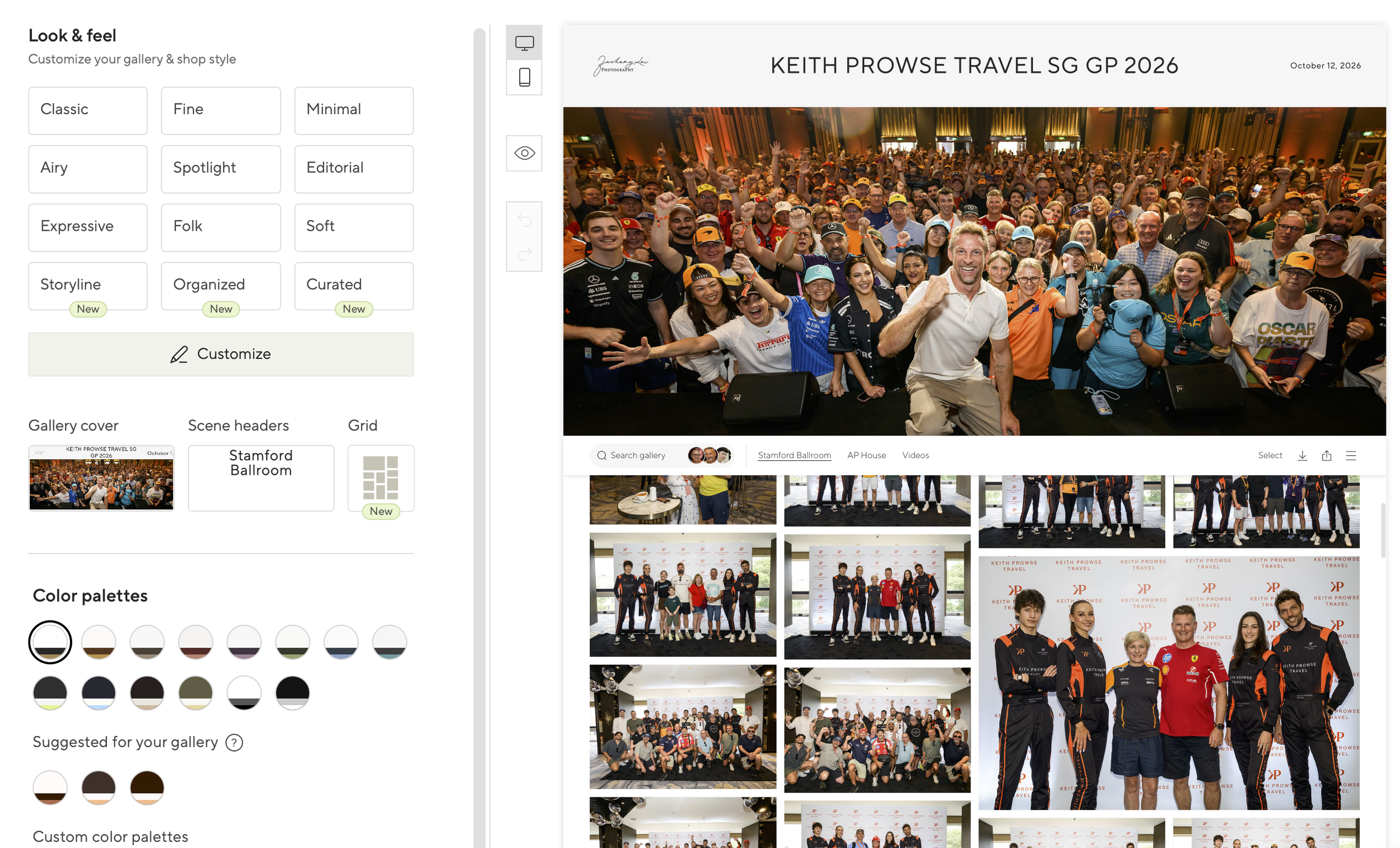
Customise your gallery’s design and font.
The ability to customise the presentation also means you aren't restricted to a generic gallery design. You can make the experience feel more personal and aligned with your photography business.
Photo Download Options
Of course, a photo gallery is only useful if clients can access the actual photographs.
Pic-Time provides download settings that allow photographers to control how images are delivered. Depending on the configuration, you can offer different download sizes and manage how clients access their photographs.
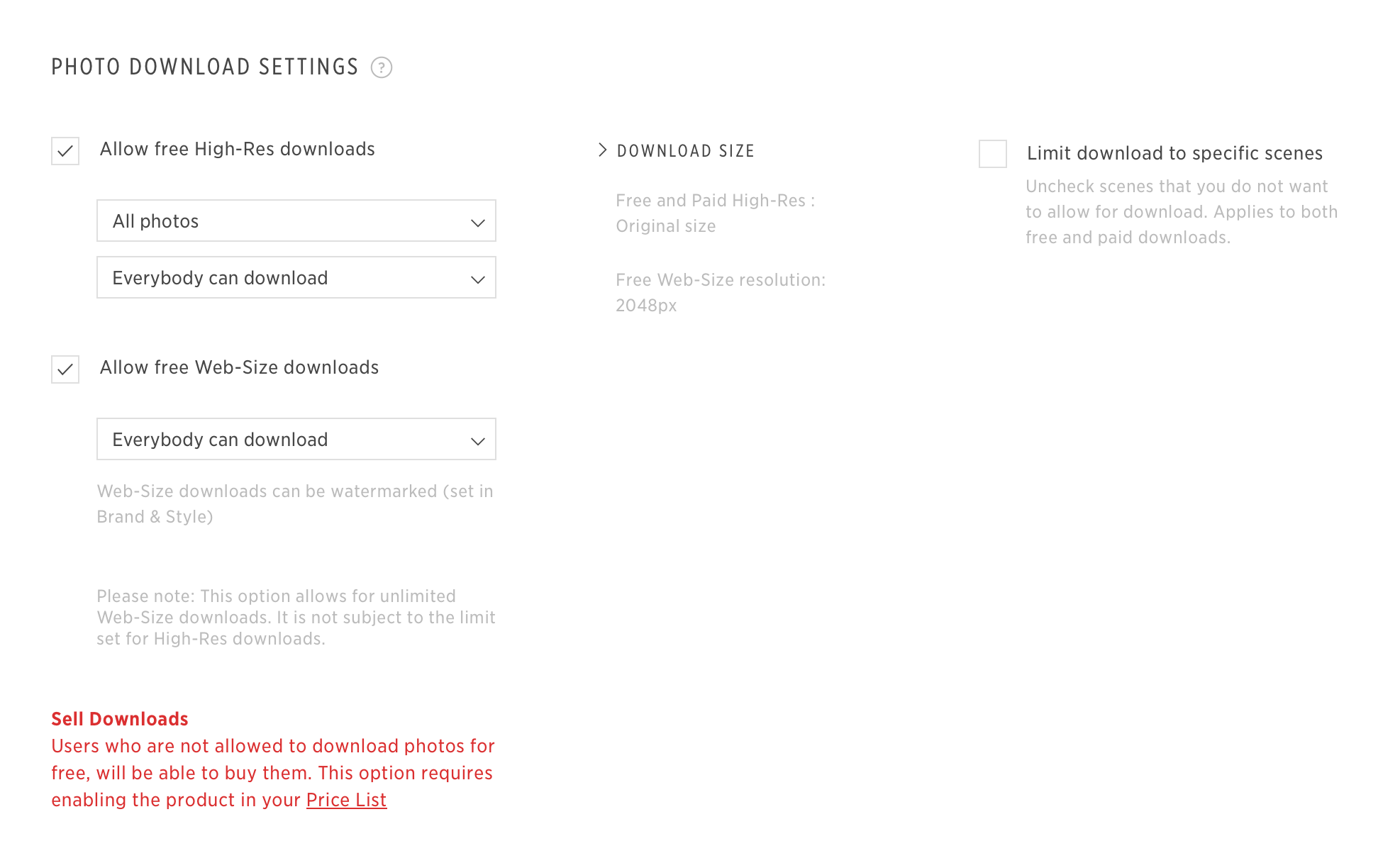
Control which resolutions can be downloaded.
This gives photographers some flexibility over the delivery process. For example, you may want to provide high-resolution files for printing while also making smaller files available for online sharing.
You can also configure download permissions and other settings to suit the requirements of each gallery.
For photographers who work with different types of clients, having these options can be useful. The requirements for a corporate event gallery may be quite different from those of a wedding or portrait session.
AI-Powered Photo Search
The feature that impressed me the most is Pic-Time's AI search function.

My clients love this!
When dealing with large event galleries, finding a particular photograph can be time-consuming. Clients might be looking for a specific person, a particular moment or a photograph taken during a certain part of the event.
Rather than manually scrolling through hundreds or thousands of images, the AI search function makes it possible to search for photographs using descriptions.
This is a genuinely useful feature, especially for event photographers who regularly deliver large collections of images. It makes browsing a gallery more convenient and can save clients considerable time when looking for specific photographs.
Of all the features I've explored, this is the one that stands out most to me. It adds practical value beyond simply making a gallery look attractive.
The Cons: Where Pic-Time Falls Short for My Workflow
As attractive as Pic-Time is, it hasn't been a completely seamless experience. There are a few aspects of the platform that I find less convenient.
1. Uploads Can Be Slow
One of my frustrations is the upload process. Uploading large collections of photographs can take longer than I would like.
For event photographers who regularly deliver hundreds or even thousands of images, this can become a bottleneck. The time spent waiting for uploads to complete is time that could otherwise be spent on other parts of the business.
Upload speed can depend on factors such as internet connection and file size, but based on my experience, this is an area where I'd like to see improvements.
2. Settings Can Be Tedious to Configure
Pic-Time offers plenty of customisation and configuration options, but that flexibility comes with a trade-off.
There are quite a few settings to work through when preparing a gallery. While having control over the finer details is useful, configuring everything can feel tedious, particularly when you're setting up galleries regularly.
For photographers who simply want to upload their images and deliver them to clients, the process can feel more complicated than necessary.
3. Clients Sometimes Lose Their Passwords
Another practical issue is client access.
Since galleries can be password-protected, clients need to keep track of their login details. In reality, some clients forget or lose their passwords and have to request access again.
It's a relatively small inconvenience, but when you're delivering photographs to a large group of people, even minor access issues can create additional administrative work.
A photo delivery platform should make it easy for clients to access their images. Having to deal with forgotten passwords isn't ideal.
4. Clients Don't Always Use the Full Range of Features
This is perhaps the biggest consideration, although it is also closely related to my own business model.
Pic-Time has features beyond photo delivery, including its shop and vendor-related functions. These can be valuable for photographers whose businesses involve selling prints, offering products or working with vendors who need access to selected images.
However, my current business model is relatively straightforward: clients pay for photography coverage and receive the photographs from the assignment.
In other words, I provide clients with the complete collection of edited photographs rather than relying on additional print sales or product purchases.
As a result, many of Pic-Time's shop and vendor features aren't particularly relevant to the way I operate. My clients generally want to access the gallery and download the entire collection. They aren't necessarily interested in exploring the other options available.
This isn't necessarily a flaw in Pic-Time. It's more a question of whether the platform's broader feature set matches the way your photography business operates.
If your business relies on print sales, product purchases or vendor access, you may find considerably more value in those additional features. For my workflow, however, they aren't being fully utilised.
The Pros: What I Really Like About Pic-Time
Despite those limitations, there are two things that make Pic-Time stand out for me.
1. Beautiful, Professional-Looking Galleries
The gallery presentation is excellent.
Pic-Time makes it easy to deliver photographs in a way that feels polished and professional. The layouts are attractive, the photographs are presented well, and the customisation options allow you to maintain your own branding.
For a professional photographer, the client experience doesn't end when the photographs are edited. How you present and deliver those photographs is also part of the service.
This is where Pic-Time does a very good job. It gives clients a much more refined way to view their photographs than a conventional file-sharing link.
2. The AI Search Function Is Fantastic
The AI search function is easily my favourite feature.
Being able to search through a large gallery without manually browsing every photograph is a significant convenience. For event photography in particular, where galleries can contain a large number of images and clients may be looking for specific people or moments, this is genuinely useful.
It improves the browsing experience and makes large galleries feel much easier to navigate.
I can see this being particularly valuable for corporate events, conferences and other assignments where many people may be accessing the same gallery.
Final Thoughts: Is Pic-Time Worth Using?
Pic-Time is a very attractive photo delivery platform with some genuinely useful features.
Its galleries look fantastic, the design customisation options allow photographers to maintain their branding, and the AI search function is a standout feature that adds real value to the client experience.
However, it's not without its frustrations. Upload speeds, the number of settings to configure and occasional client access issues can make the workflow less straightforward than I'd like.
It's also worth considering whether you'll actually use all the features you're paying for. In my case, because clients receive the complete collection of photographs, the shop and vendor features aren't central to my business.
Ultimately, I think Pic-Time is a strong option for photographers who want to deliver images through a polished online gallery. Whether it is the right platform for you depends on how you run your photography business and which features you'll genuinely use.
For me, the beautiful galleries and particularly the AI search function are the biggest reasons to consider using it.
This is a sponsored review, so if you’re interested in Pic-Time:
Use this link for one month free: https://zlp.pic-time.com/referral
Coupon code: KCRSRG